For a long time (10+ years now, oh my god) – I have been using Juniper vMX virtual routing appliances in my labs – always on the terrific Eve-NG platform. vMX is a bit of a dog, as it’s an earnest attempt by Juniper to emulate the powerful ASICs of the Trio Chipset found in an actual MX router in software. The results are pretty crummy performance, dreadful resource consumption – but a phenominal tool for learning and labbing. Having a virtual MX router (or 10) in your lab to poke and prod as you wish is second only to having a multi-hundreds-of-thousands of dollars real lab. But I don’t have one of those anymore.
Because my boss recently said I am an aimless drifter with no goals, I have decided to re-certify (I let my JNCIP-SP lapse and expire a year or so back). This has meant getting back into the labbing game on a beefy server stashed in a rack somewhere at work. It’s been fun!
My old trusty vMX image running Junos 14, however, has gotten a little long in the tooth. While on one hand it has a really nice architecture with a single image running both the RE/FPC in one, it is also 12+ years out of date and won’t do thinks like SPRING or EVPN at all. So, I went to Juniper to try and grab a nice new Junos 26 or something vMX – but they no longer let you download them claiming EOL. Sick sad world!
Not to dismay, Juniper now has a really cool set of virtualised general purpose images for labbing and learning – you can check them out here – https://www.juniper.net/us/en/dm/vjunos-labs.html. They have a switch, a router and a couple of other things I didn’t look into yet. I am interested in the router, so I grabbed one, stuck it into eve-ng and fired it up.
First impressions are that it’s back to being a single image (great) and boots up about as quickly as the vMX 14 of old (also great). Things more or less look and feel like a vMX, but we’re running modern (26!) Junos, and you can download the image and run it in your lab without feeling like a criminal.
Exporting the config from my old “PE1” vMX image onto its modern replacement went pretty well – the em0 interface I had been using for oob management is back to fxp0 like a real MX, which was a nice touch. Config exported over no stress, so let’s see if it can be a true drop in replacement and I can get on with my Segment Routing. Bless you, replace pattern:
root@PE1# replace pattern em0 with fxp0

[edit]
root@PE1# show | compare
[edit interfaces]
-   em0 {
-       unit 0 {
-           family inet {
-               address 172.16.12.107/24;
-           }
-       }
-   }
+   fxp0 {
+       unit 0 {
+           family inet {
+               address 172.16.12.107/24;
+           }
+       }
+   }
Thanks to the gun posters in this thread I found out you can’t just drop the power on these sensitive things in eve-ng without some corruption, and since I am using the free community edition of eve I can’t use the fancy features, I configured my new node, shut it down via the CLI and dropped it into service. Goodbye PE1, hello R1 (which should really be renamed but give me a break).
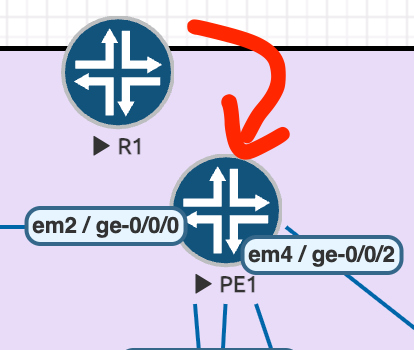
Now the drop in replacement is done – do my protocols stand up? Maybe. But it took a lot longer to boot the second time, which fills me with a little bit of dread – around 10 minutes before the FPC actually showed up (which is quite like the vMX).
lab@PE1> show isis adjacency
Interface             System         L State         Hold (secs) SNPA
ae0.0                 PE2            2  Up                    22  0:5:86:71:c0:c0
Oh yeah. More to come, but so far, this thing is great.